
Keyword Intent: The SEO North Star
Ever stared at your analytics, wondering why your perfectly optimized content isn’t converting? You’re not alone. The missing piece isn’t more keywords or better backlinks; it’s understanding keyword intent. This concept separates content that ranks from content that actually drives results.… Once you understand keyword intent, everything else in SEO becomes clearer. I’ve linked all primary SEO resources in one place at shivaram.xyz, so you can follow the topics in order.
Think of keyword intent as your GPS for SEO success. Without it, you’re creating content in the dark, hoping someone will find it useful. With it, you’re building exactly what your audience needs, when they need it. The best part? Once you master this skill, you’ll see why top SEO professionals rely on it consistently.
Understanding keyword intent is the foundation of a successful SEO strategy. It’s the difference between getting traffic and getting the right traffic, the kind that actually helps your career and delivers measurable results.
What is Keyword Search Intent and Why It Matters
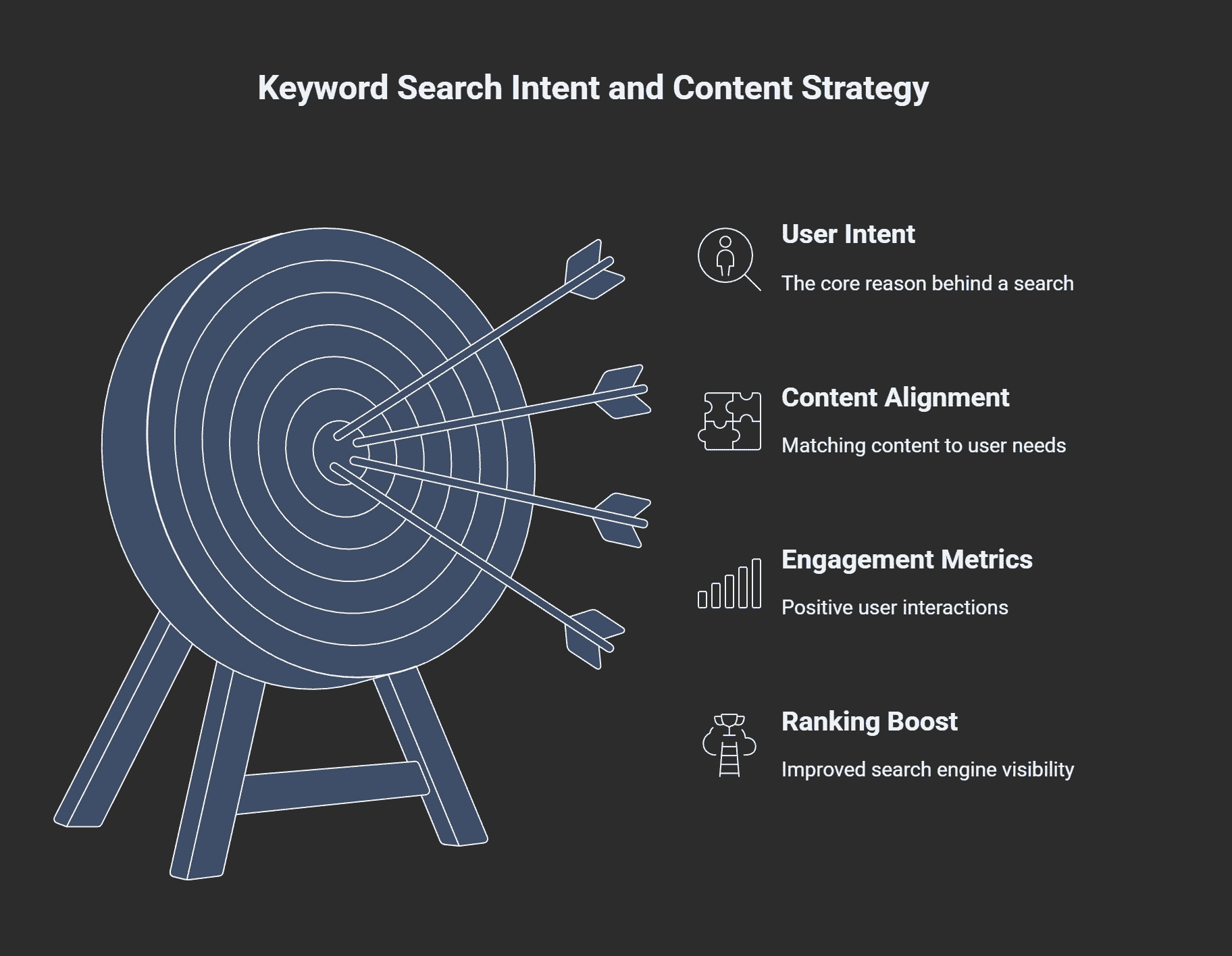
Keyword search intent reveals the “why” behind every search query. When someone types “best gaming laptop,” people are not just looking for information; they’re ready to buy. When they search “How to Choose a Gaming Laptop,” they need instructions. This distinction changes everything about how you should create content.
Every keyword intent reveals what users actually want to find. Google’s algorithm has become incredibly advanced at matching search results to user expectations. If your content doesn’t align with the searcher’s intent, you won’t rank. This isn’t theory; it’s how search works in 2025.
The impact goes beyond rankings. Content that matches intent gets higher click-through rates, longer time on page, and better conversion rates. These signals tell Google your content is valuable, creating a positive feedback loop that boosts your rankings even more.
Intent Classification: Informational, Transactional, Navigational Types
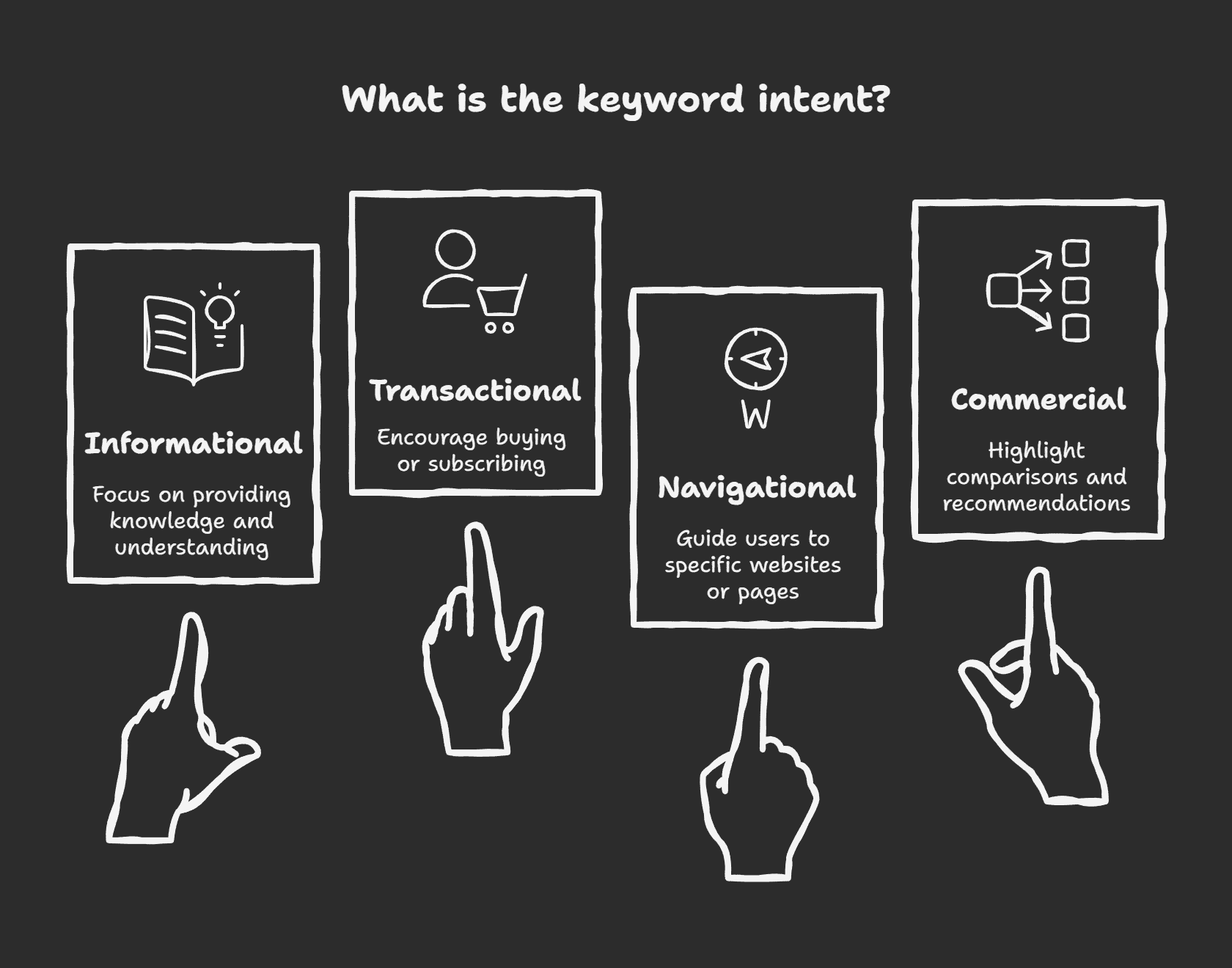
Here’s how the four main keyword intent types break down:
Informational Intent: Users want to learn something
- Examples: “what is SEO,” “how to optimize images,” “content marketing tips”
- Content type: Guides, tutorials, explanations
Transactional Intent: Users are ready to buy or take action
- Examples: “buy SEO tools,” “hire content writer,” “download template”
- Content type: Product pages, landing pages, comparison reviews
Navigational Intent: Users want to find a specific website or page
- Examples: “Google Analytics login,” “Semrush pricing,” “Moz blog”
- Content type: Brand pages, specific tool pages
Commercial Investigation: Users are researching before buying
- Examples: “best SEO tools 2025,” “Ahrefs vs Semrush,” “content writing software review”
- Content type: Comparisons, reviews, buying guides
How to Identify Keyword Intent: A Repeatable Framework
Learning how to identify keyword intent starts with recognizing patterns. You don’t need expensive tools or years of experience; you need a systematic approach that works every time.
Before you dive into the framework, you can follow this step-by-step method for identifying search intent to see exactly how the process works from start to finish.
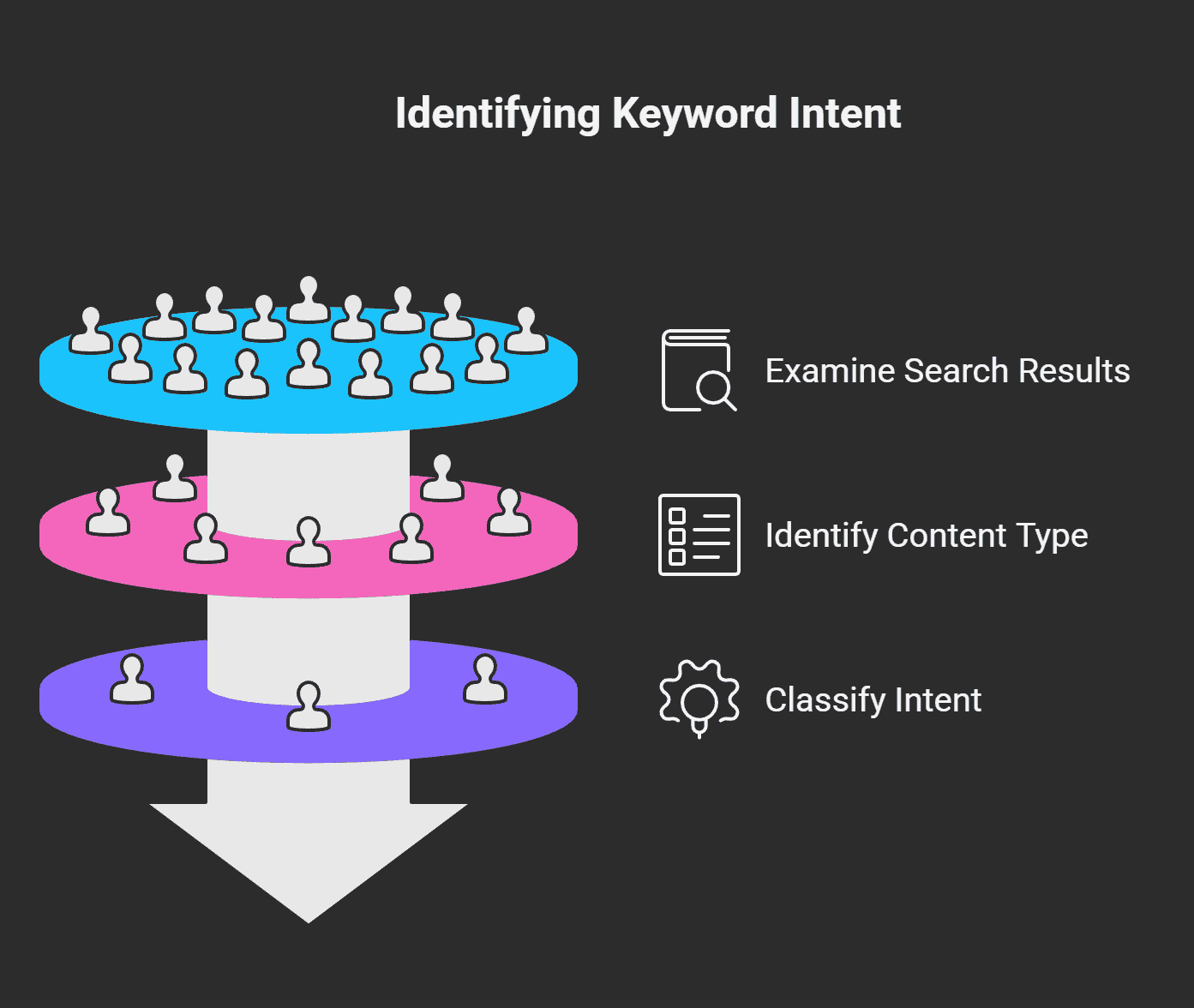
The fastest way to determine intent is to examine the actual search results. Google has already done the heavy lifting by showing you what type of content ranks for each query. If the first page indicates mostly product pages, the intent is transactional. If it’s filled with how-to guides, the purpose is informational.
This search intent guide will show you practical techniques that work immediately. Start with these three signal types, and you’ll classify intent accurately 92% of the time.
What is Keyword Intent: Quick Signals in Queries
Certain words instantly reveal user intent. These trigger words act like shortcuts to understanding what people really want:
Informational signals: how, what, why, when, where, guide, tutorial, tips, learn, understand
Transactional signals: buy, purchase, order, download, get, hire, subscribe, pricing, cost
Navigational signals: brand names, specific product names, login, official, website
Commercial signals: best, top, review, compare, vs, alternative, recommendation
Pay attention to modifiers too. “Cheap” or “affordable” suggests price-conscious buyers. “Professional” or “enterprise” indicates business users. These nuances help you create more targeted content.
SERP Signals to Check
The search results page provides comprehensive information about intent. Look for these specific elements:
Featured snippets – typically appear for informational queries. If you see a definition box or step-by-step instructions, create comprehensive educational content.
Shopping results – and product carousels signal transactional intent. Users want to buy, so focus on product benefits, pricing, and purchase options.
People Also Ask boxes – reveal related questions users have. These are gold mines for content ideas and show that you’re dealing with informational intent.
Local pack results – indicate location-based intent. Even if your main keyword doesn’t seem local, these results suggest users want nearby options.
For a more detailed breakdown of all these elements, refer to this comprehensive SERP analysis guide.
Behavioral Signals from Analytics
Once your content is live, user behavior confirms whether you matched intent correctly. Check these metrics in Google Search Console and Analytics:
Click-through rate (CTR) – should be above average for your position. Low CTR means your title doesn’t match what users expect.
Time on page – reveals engagement. Quick exits suggest intent mismatch: users didn’t find what they wanted.
Bounce rate – patterns tell the story. High bounce rates on informational content might be good (users got their answer quickly). High bounce rates on commercial content usually indicate problems.
Conversion tracking – is the ultimate test. If users aren’t taking your desired action, revisit your intent analysis.
Title & Meta Formulas with Keyword Intent Examples
Matching your titles and meta descriptions to intent dramatically improves click-through rates. Each intent type has proven formulas that work consistently.
The key is speaking your audience’s language while incorporating your target keywords naturally. Your title should immediately signal that you understand what the searcher wants. Check out these keyword intent examples for inspiration.
Templates for Different Keyword Intent Types
Informational Intent Templates:
- “How to [Action]: [Number] Steps That Actually Work”
- “What is [Topic]: Complete Guide for [Year]”
- “[Topic] Explained: Everything You Need to Know”
Commercial Investigation Templates:
- “[Number] Best [Products] for [Use Case] ([Year] Review)”
- “[Product A] vs [Product B]: Which Should You Choose?”
- “Top [Number] [Category] Tools (Tested & Compared)”
Transactional Intent Templates:
- “Buy [Product]: [Benefit] Starting at $[Price]”
- “Get [Result] with [Product] – [Guarantee/Offer]”
- “[Product] Pricing: Plans Starting at $[Price]”
Navigational Intent Templates:
- “[Brand Name] [Product/Service] – Official Site”
- “[Tool Name] Login & Account Access”
- “[Company] [Location] – Contact & Hours”
Examples and Character-Length Guidance
Keep titles under 60 characters and meta descriptions under 160 characters for optimal display. Here are working examples:
Informational (58 characters):
“How to Identify Keyword Intent: 5-Step Framework”
Meta: “Learn to classify search intent using SERP signals, query analysis, and user behavior data. Boost your SEO results with this proven framework.”
Commercial (55 characters):
“Best SEO Tools 2025: 10 Platforms Tested & Ranked”
Meta: “Compare top SEO tools based on features, pricing, and real user results. Find the perfect platform for your needs and budget.”
Transactional (52 characters):
“Professional SEO Audit – Get Results in 48 Hours”
Meta: “Comprehensive SEO audit service with actionable recommendations. Identify ranking opportunities and technical issues fast.”
People Also Ask: Using It to Validate and Generate Clusters
People Also Ask boxes are like having direct access to user research. These questions show you exactly what your audience wants to know beyond their initial search.
Smart content creators use PAA data to structure their articles and create topic clusters. Instead of guessing what subtopics to cover, you’re using Google’s own data about user intent.
How to Extract PAA and Map to Section Headings
Start by searching your target keyword and documenting every PAA question that appears. Click on each question to reveal more related questions. PAA expands your research significantly.
Group similar questions together to identify content themes. Questions about “what is” and “how does” suggest informational sections. Questions about “best” and “which” point to commercial investigation content.
Map these questions directly to your article structure. Each PAA question can become an H2 or H3 heading, ensuring your content answers exactly what users are asking.
Example: Extract 6 PAAs and Where to Put Them
For “keyword intent,” here are six PAA questions and their placement:
- “What is keyword intent in SEO?” → H2 introduction section
- “What are the 4 types of search intent?” → H3 under intent classification
- “How do you identify keyword intent?” → H2 framework section
- “Why is search intent important for SEO?” → H2 importance section
- “What are examples of commercial intent keywords?” → H3 under examples
- “How do you optimize for different search intents?” → H2 optimization section
This approach ensures your content comprehensively addresses user questions while maintaining logical flow and structure.
Intent Shifts: When to Update an Existing Page vs Create New
Search intent isn’t static. Keywords that once drove informational traffic might shift toward commercial intent as markets mature. Recognizing these shifts early gives you a competitive advantage.
The decision to update existing content or create new pages depends on several factors. Sometimes a simple refresh works. Other times, you need entirely different content to match evolved user expectations.
Decision Checklist: Metrics & SERP Evidence
Use this checklist to decide your next move:
Update existing content when:
- Your page still ranks in the top 10, but CTR is declining
- SERP features have changed (new featured snippets, shopping results)
- User behavior metrics show engagement dropping
- Intent shift is minor (informational to commercial investigation)
Create new content when:
- Your page has dropped out of the top 20 results
- SERP results show completely different content types
- Intent shift is major (informational to transactional)
- Keyword now triggers different SERP features entirely
Monitor these specific metrics:
- Organic traffic trends over 6 months
- Average position changes
- Click-through rate compared to position
- Time on page and bounce rate patterns
Case Examples: Intent Evolution
Example 1: “Content Marketing” (Info → Commercial)
Originally, this keyword showed mostly educational content about what content marketing means. Over time, SERPs shifted to showcase content marketing tools, agencies, and services. Companies that recognized this shift early created commercial pages and captured high-intent traffic.
Example 2: “AI Writing” (One Keyword, Multiple Intents)
This keyword now triggers mixed intent results: users want to learn about AI writing (informational), others want to try AI writing tools (transactional), and some are comparing options (commercial investigation). The solution? Create a content cluster addressing each intent separately.
Example 3: “Remote Work” (Navigational → Informational)
During 2020, this keyword shifted from people looking for specific remote job sites to wanting guides about working remotely. Content creators who pivoted quickly dominated the new search landscape.
Quick-Check Checklist & Next Steps
Here’s your checklist for mastering keyword intent:
Before Creating Content:
- [ ] Analyze top 10 search results for content types
- [ ] Identify trigger words in your target keyword
- [ ] Check for SERP features (snippets, shopping, PAA)
- [ ] Document 5-10 related PAA questions
- [ ] Choose an appropriate title template for the intent type
After Publishing:
- [ ] Monitor CTR in first 30 days
- [ ] Track time on page and bounce rate
- [ ] Check if you’re triggering relevant SERP features
- [ ] Document any ranking improvements
- [ ] Plan content updates based on performance
Monthly Review:
- [ ] Analyze intent shifts in your target keywords
- [ ] Update content that’s losing relevance
- [ ] Identify new keyword opportunities
- [ ] Expand successful content into clusters
Your next step is simple: pick one underperforming piece of content and run it through this framework. You’ll likely discover the intent mismatch that’s holding it back.
FAQ
What is keyword intent?
Keyword intent is the underlying goal or purpose behind a user’s search query. It reveals whether someone wants information, is ready to buy, or is looking for a specific website.
What are the four types of keyword intent?
The four main types are informational (learning), transactional (buying), navigational (finding specific sites), and commercial investigation (researching before buying).
How do you identify search intent?
Analyze the search results page, look for trigger words in queries, check SERP features like shopping results or featured snippets, and examine user behavior metrics.
Why is matching search intent important for SEO?
Google prioritizes content that satisfies user intent. Mismatched content won’t rank well, regardless of other optimization factors.
Can keyword intent change over time?
Yes, search intent can shift as markets evolve, user behavior changes, or new products emerge. Regular monitoring helps you stay ahead of these changes.
What’s the difference between commercial and transactional intent?
Commercial intent involves research before buying (comparing options), while transactional intent indicates readiness to purchase immediately.
How do People Also Ask boxes relate to keyword intent?
PAA questions reveal additional user needs and help you create more comprehensive content that addresses multiple aspects of search intent.
Should I create separate pages for different intents of the same keyword?
When a keyword triggers mixed intent results, creating separate pages for each intent type often performs better than trying to satisfy all intents on one page.